

Scaling DTF orders in your print shop means increasing production volume without sacrificing transfer quality or turnaround speed. Direct-to-Film (DTF) printing, the process of printing designs onto a special film before heat-pressing them onto fabric, has become the go-to decoration method for shops that need speed and versatility. The shops winning in 2026 are not just buying bigger printers. They are aligning equipment throughput, workflow automation, and fulfillment metrics like Perfect Order Fulfillment (POF) into one coordinated system. Get that alignment right, and you can double or triple capacity without doubling your headcount.
What equipment upgrades enable higher DTF printing throughput?
Printer format size is the single biggest lever for increasing raw output. Upgrading from a 60cm to a 90cm printer increases printable area by 50%, letting you fit three 11-inch adult graphics side by side instead of two. That means fewer roll changes, less operator downtime, and more transfers per hour at the same labor cost. The math compounds fast when you are running multiple shifts.
Matching machine size to your actual demand
Printer throughput ranges from roughly 20 transfers per hour on a 13-inch entry-level unit to around 400 transfers per hour on a 36-inch industrial dual-head machine. That is a 20x difference in capacity, and it maps directly to the revenue ceiling of your shop. A mid-volume shop producing 500 to 1,000 transfers daily is well-served by a 24-inch single-head unit. Shops pushing past 3,000 transfers daily need to look at 36-inch dual-head configurations or multiple mid-range units running in parallel.
The trap most shops fall into is buying the biggest printer available and then discovering the bottleneck is not the printer at all. Equipment decisions must account for powdering, curing, and operator capacity downstream. A 400-transfer-per-hour printer feeding a single powder shaker rated for 200 transfers per hour creates a jam, not growth.
Automating finishing steps
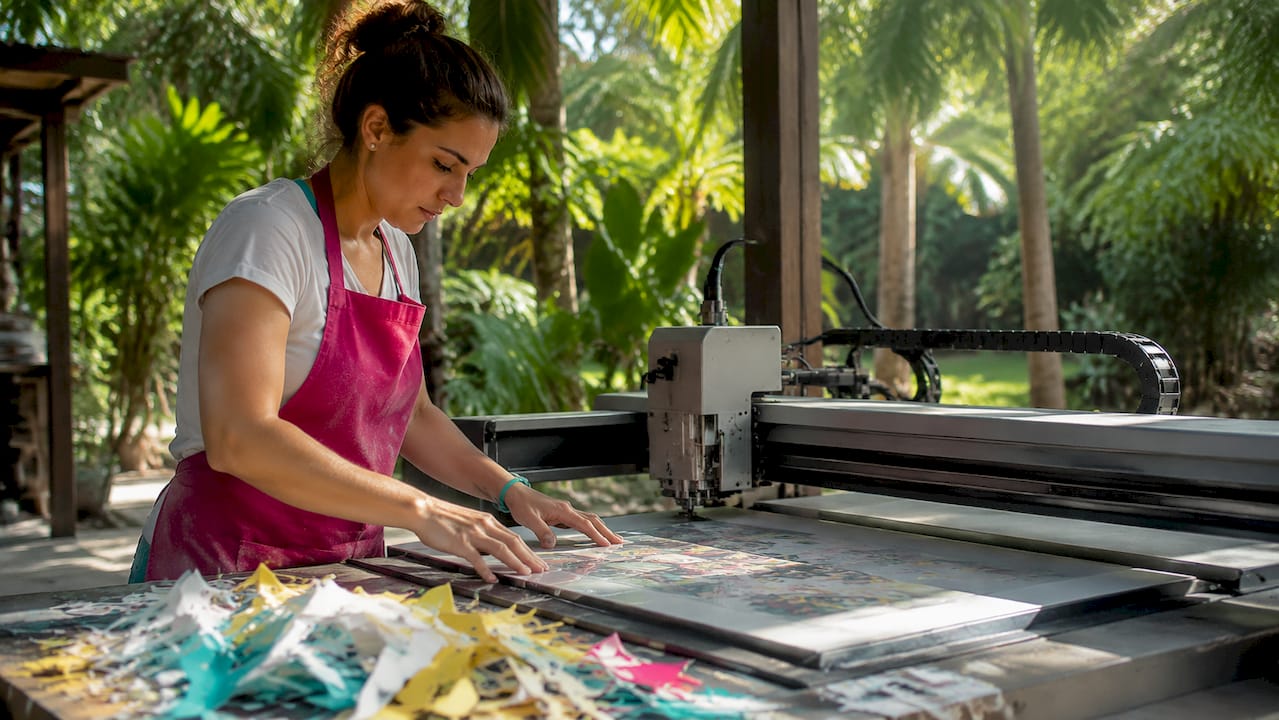
Automating finishing steps with XY cutters and garment folders removes the labor bottleneck that kills throughput in 90cm wide DTF workflows. Manual cutting on wide rolls is slow, inconsistent, and physically demanding. An automated XY cutter processes a full roll in minutes and delivers clean, repeatable cuts every time. Garment folders then reduce pack-out time per order, which matters when you are shipping hundreds of units daily.
Pro Tip: Before buying a wider printer, time your current powdering and curing steps. If those steps are already at capacity, invest there first. Shifting the bottleneck to a new machine is an expensive way to stay stuck.
| Printer format | Approx. throughput | Best fit |
|---|---|---|
| 13-inch single-head | ~20 transfers/hour | Startups, sampling |
| 24-inch single-head | ~100 transfers/hour | Mid-volume shops |
| 36-inch dual-head | ~400 transfers/hour | Industrial production |
How can workflow automation and batch processing reduce errors?
Manual file handling is where bulk DTF orders fall apart. When an operator processes 50 individual files by hand, click fatigue sets in by file 20. Parameters get misapplied, layouts waste film, and rework eats into margins. Batch workflow automation in pre-press reduces manual file handling time drastically and eliminates the human errors that come with processing bulk DTF orders one at a time.
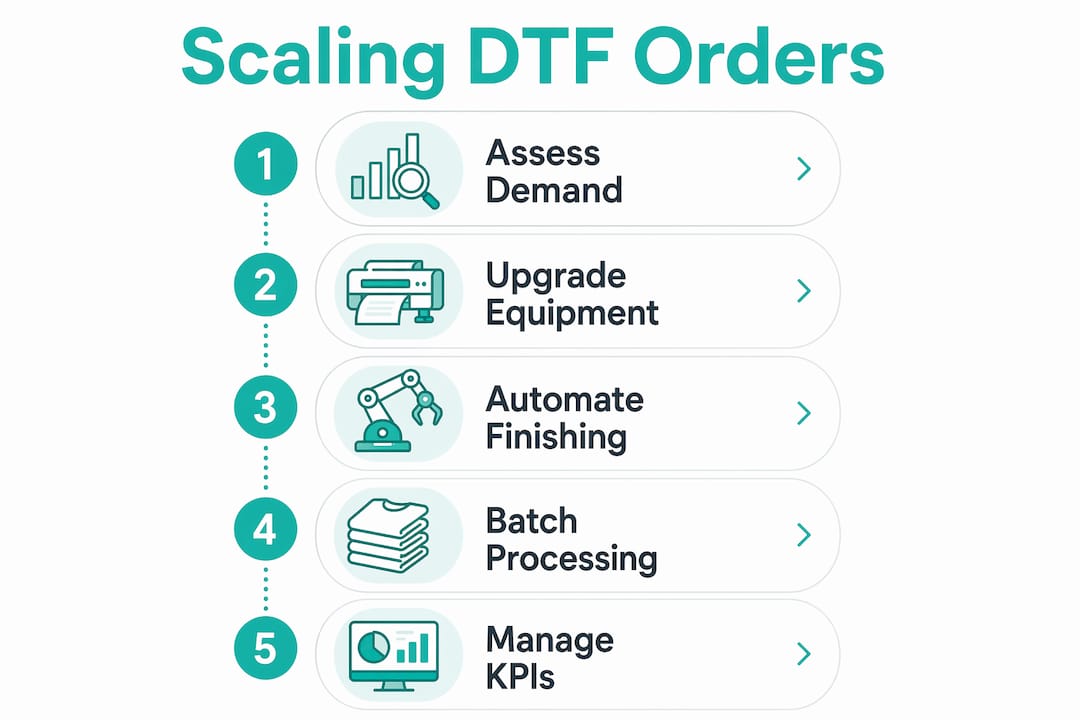
The fix is parameter propagation. Set your color profile, white ink layer, and resolution once, then apply those settings to every file in the batch with a single command. Software like DTF Transfer Studio and similar pre-press platforms support “apply to all” logic that keeps every file in a job consistent. This is not just a time saver. It is a quality control measure built into the workflow itself.
Here is how to set up a repeatable batch processing workflow:
- Collect and audit files first. Gather all artwork files for a production run before touching the printer. Check resolution (300 DPI minimum), color mode (CMYK), and bleed settings in one pass.
- Set a master parameter profile. Define white ink settings, color profiles, and film size once per job type. Save it as a named preset so operators are not re-entering values for every run.
- Run automated nesting. Use your RIP software’s nesting or gang sheet algorithm to pack designs onto the film efficiently. Good nesting software reduces film waste by 15 to 25% compared to manual layout.
- Apply batch output. Send all files to the printer queue simultaneously. Avoid printing individual files one at a time during a production run.
- Log the job. Record film used, transfer count, and any errors. This data feeds your KPI tracking and helps you spot recurring issues before they become expensive habits.
Pro Tip: Use the auto gang sheet builder to automate layout before you even send files to your RIP. It removes a manual step that most shops still do by hand.
What role do scheduling and KPI management play in scaling fulfillment?
Perfect Order Fulfillment (POF) is the composite KPI that tells you how reliably your shop delivers. POF multiplies four sub-metrics: on-time delivery, order completeness, damage-free shipment, and invoice accuracy. A shop scoring 95% on each metric achieves a POF of roughly 81%. That sounds decent until a B2B client with 500 units per week notices the 19% failure rate.
Improving schedule adherence from 85% to 95% raises the POF ceiling from roughly 80% to 90%. That single operational change, tightening how closely production follows the planned schedule, has more impact on customer satisfaction than any equipment upgrade. Schedule adherence is the leading constraint on on-time delivery, and on-time delivery is the heaviest component in the POF formula.
Finite capacity scheduling treats your shop’s machines, operators, and materials as fixed constraints and builds a production plan around what is actually achievable. This prevents the common mistake of accepting due dates that are physically impossible to meet given current capacity. Real-time schedule updates when a machine goes down or a material runs short keep the plan executable rather than aspirational.
Key KPIs to track weekly:
- On-time shipping rate: Target 98% or above based on ecommerce fulfillment benchmarks
- Order accuracy rate: Best-in-class shops hit 99.5% or higher
- Perfect Order Fulfillment rate: Median benchmark sits at 90%, with top performers reaching 95%+
- Cost per order: Tracks whether automation investments are reducing per-unit production cost
- Schedule adherence rate: The upstream driver of every other metric on this list
What quality assurance protocols matter when scaling bulk DTF production?
Quality degradation at scale is not random. It is the result of small process variances that compound across hundreds of transfers. A curing temperature that drifts 10 degrees Fahrenheit over a four-hour run produces transfers with inconsistent adhesion. You will not notice it on transfer 50. You will notice it on transfer 300 when a client calls about peeling prints.
QA best practices for scaling include hourly infrared thermometer checks on curing temperature and regular baseline adherence tests using a perfectly cured reference sample. These are not optional steps for high-volume runs. They are the difference between a profitable batch and an expensive reprint.
Here is a practical QA protocol for bulk DTF runs:
- Create a baseline sample. At the start of every production run, press a reference transfer under ideal conditions. Keep it on the workstation as a visual and tactile benchmark.
- Check curing temperature hourly. Use an independent infrared thermometer, not the machine’s built-in display. Machine sensors drift. Independent verification catches drift before it affects product.
- Monitor powder application. Too little powder causes poor adhesion. Too much causes texture issues and color distortion. Weigh powder application on a sample basis every two hours.
- Account for humidity. High humidity affects powder adhesion and film behavior. Track ambient humidity and adjust drying time or powder quantity accordingly.
- Scale your sampling rate with batch size. Enhanced sampling frequency must increase as batch size grows. A 100-unit run needs spot checks every 20 units. A 1,000-unit run needs checks every 50 units at minimum.
How do you optimize order management to maximize throughput?
Order management is where operational discipline turns into profit. The core tactic is batching: grouping smaller orders by design size, color profile, or garment type so they run together on one continuous film roll. Batching eliminates the setup time between individual jobs and keeps the printer running at full utilization.
The gang sheet builder is the most direct tool for this. It packs multiple designs onto a single sheet, maximizing film use and reducing the cost per transfer. Shops that manually lay out gang sheets leave 20 to 30% of film area unused on average. Automated layout algorithms fill that space.
Key tactics for optimized order management:
- Batch by film width. Group all 90cm-wide jobs together and all narrower jobs separately to avoid wasting wide-format film on small designs.
- Prioritize rush orders in scheduling. Flag expedited orders in your production queue before the day starts, not after the run begins.
- Integrate your cutter. An automated XY cutter connected directly to your RIP output eliminates the manual step of marking and cutting finished rolls.
- Track cost per order weekly. If your cost per transfer is rising as volume grows, the bottleneck has shifted. Find it before it erodes your margin.
Key takeaways
Scaling DTF orders in your print shop requires aligning equipment throughput, batch automation, scheduling discipline, and quality assurance into one coordinated production system.
| Point | Details |
|---|---|
| Equipment sizing matters | Match printer format to downstream powdering and curing capacity to avoid shifting bottlenecks. |
| Batch automation reduces errors | Parameter propagation and automated nesting cut film waste and eliminate click-fatigue mistakes. |
| Schedule adherence drives POF | Raising schedule adherence from 85% to 95% lifts Perfect Order Fulfillment by roughly 10 points. |
| QA must scale with volume | Increase sampling frequency as batch size grows to keep defect risk flat at higher output levels. |
| Gang sheets cut cost per transfer | Automated layout fills 20 to 30% more film area than manual placement, directly improving margins. |
What I have learned from watching shops scale DTF the hard way
Most print shops that struggle to scale are not struggling because of their printer. They are struggling because they treated equipment as the whole solution. I have seen shops drop $40,000 on a 36-inch dual-head machine and then watch it sit at 40% utilization because their file prep process could not keep up. The printer was never the bottleneck. The workflow was.
The shops that scale well share one habit: they measure before they spend. They know their current transfers per hour, their schedule adherence rate, and their cost per order before they make any capital decision. That data tells them exactly where the constraint is. Sometimes it is the printer. More often it is the gang sheet layout process, the powder shaker, or the QC step that nobody formalized.
Quality assurance is the piece most shops underinvest in at scale. A single bad batch of 500 transfers costs more in reprints, client credits, and reputation damage than a month of QC labor. Hourly temperature checks and baseline sample comparisons feel tedious until the day they catch a curing drift that would have ruined 300 units.
My honest advice: automate the repetitive steps first. File prep, nesting, and cutting are all automatable today with tools that pay for themselves in weeks. Free your operators for the judgment calls: QC inspection, client communication, and production scheduling. That is where human attention creates value. The rest should run itself.
— Chris
Ready to scale faster with Transferhippo?
If you are serious about growing your DTF output, Transferhippo is built for exactly that. The platform offers same-day shipping on orders placed before noon EST, with delivery across the mainland US in one to two days. No minimums, no setup fees, and no surprises on quality.
The gang sheet builder automates your layout so you stop wasting film and start maximizing every roll. If you are expanding your product line, UV DTF stickers are a fast-growing add-on that shops are using to increase average order value without adding production complexity. Press 'em, pack 'em, profit. Get started at Transferhippo today.
FAQ
What does scaling DTF orders in a print shop actually mean?
Scaling DTF orders means increasing your shop’s transfer production volume without proportionally increasing labor costs or sacrificing print quality. It involves aligning equipment capacity, workflow automation, and fulfillment processes into a coordinated system.
How many transfers per hour can a DTF printer produce?
Throughput ranges from roughly 20 transfers per hour on a 13-inch entry-level printer to around 400 transfers per hour on a 36-inch industrial unit. The right choice depends on your current order volume and downstream capacity.
What is Perfect Order Fulfillment and why does it matter?
Perfect Order Fulfillment (POF) is a composite KPI that multiplies on-time delivery, order completeness, damage-free shipment, and invoice accuracy. Best-in-class print shops achieve POF rates of 95% or higher, which directly drives client retention and repeat orders.
How often should QA checks happen during a bulk DTF run?
For runs under 200 units, check every 20 to 25 transfers. For larger batches, sampling frequency must increase proportionally. Use an independent infrared thermometer for curing checks rather than relying on machine-displayed temperatures.
What is a gang sheet and how does it reduce costs?
A gang sheet is a single film layout that combines multiple designs to maximize material use. Automated gang sheet builders fill 20 to 30% more usable film area than manual placement, which directly lowers your cost per transfer as volume grows.


